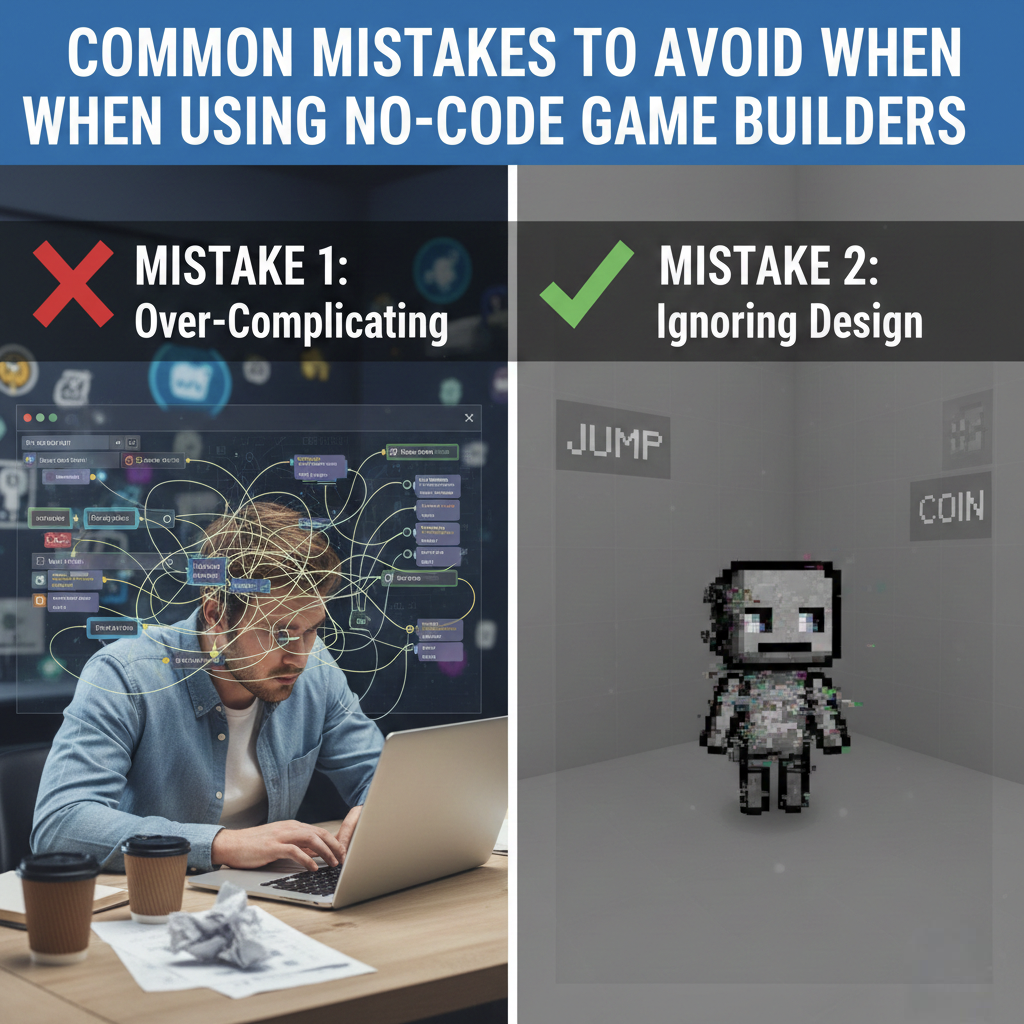
The rise of no-code and low-code platforms has revolutionized the landscape of game development and software development. These tools have significantly lowered the barrier to entry, allowing aspiring creators to bring their ideas to life without extensive programming knowledge. Within the realm of game creation, no-code game builders offer an exciting avenue for hobbyists, indie developers, and even professionals looking for rapid prototyping. Platforms like Construct 3, Pixel Game Maker MV, and Game Maker Studio 2 leverage intuitive drag and drop interfaces and visual coding to make game creation accessible.
The burgeoning no-code market is projected to reach $84.47 billion by 2027, growing at a CAGR of 28.9% from 2020, highlighting its massive potential. Furthermore, by 2025, it’s anticipated that 70% of new enterprise applications will be developed using no-code/low-code platforms, underscoring a significant shift in software development practices. However, the very simplicity that makes these tools attractive can also mask fundamental challenges. Simply dragging and dropping assets doesn’t guarantee a fun, polished, or even functional game. Many creators fall into common traps, leading to unfinished projects or games that fail to capture the player experience.
This article delves into the most prevalent mistakes made when using no-code game builders and provides actionable strategies to overcome them, ensuring your game design aspirations translate into successful no-code applications.
Starting Without a Clear Plan
A simple Game Design Document (GDD) provides a clear roadmap, preventing the aimless development that often leads to unfinished projects.
One of the most frequent missteps in no-code game development is the temptation to dive headfirst into creation without a solid plan. The ease of use offered by tools like Construct 3 or Pixel Game Maker MV can foster a “let’s just see what happens” mentality. Without a roadmap, your project can quickly become aimless. You might find yourself spending considerable time perfecting a single animation or feature, only to realize later that it doesn’t align with the overall vision for your game engine or game design. This lack of foresight can lead to a disjointed experience where different elements of the game don’t mesh well, ultimately hindering player engagement.
The Fix: Before you touch any drag-and-drop interface, dedicate time to creating a concise one-page game design document (GDD). This document should clearly define your game’s core loop, what the player will be doing repeatedly in a short timeframe, as well as the primary win condition and a rough outline of the initial levels or challenges. This foundational planning is crucial for maintaining focus throughout the development process, ensuring every feature you implement serves a purpose within your intended game design.
Scope Creep and Feature Overload
The accessibility of no-code platforms also makes it incredibly easy to add features. This convenience can inadvertently lead to “scope creep,” where a project’s requirements steadily expand beyond its original intent. What begins as a simple idea, perhaps a basic platformer inspired by classic titles like Space Invaders, can balloon into an overly ambitious project incorporating multiplayer, complex AI, crafting systems, and more. This feature overload not only stretches development time exponentially but also significantly impacts game performance, often leading to a sluggish and frustrating player experience. Many users abandon apps after just one use due to poorly conceived features.
The Fix: For your initial projects, rigorously limit yourself to one or two core game mechanics. Create a “future ideas” list for any cool concepts that arise but don’t directly support your Minimum Viable Product (MVP). It’s far more effective to complete a focused, polished basic version of your game and then plan for updates and expansions. This approach ensures you deliver a functional and enjoyable experience, building momentum and learning valuable lessons for future, more complex projects.
Poor Core Loop or Unclear Objectives
A fundamental aspect of engaging game design is the core loop—the cycle of actions a player performs repeatedly. If a player loads your casual game and doesn’t immediately understand what they are supposed to do within the first 10-15 seconds, the chances of them quitting are high. This often stems from an assumption that the player will inherently understand the rules or objectives, without sufficient onboarding or clear visual cues. Without intuitive tutorials or clear UI elements, players can become confused and frustrated, leading to a negative player experience.
The Fix: Design a brief, impactful onboarding sequence. This could be a dedicated tutorial level or an initial gameplay segment that gently guides players through the primary mechanics and objectives. Utilize visual aids such as arrows, highlighted areas, or concise text prompts to illuminate the path forward. Ensuring the immediate goal is apparent not only aids new players but also reinforces the core loop, making the game more immediately accessible and enjoyable.
Wrong Difficulty Curve
One of the most challenging aspects of game design is establishing the right difficulty curve. Developers, having played their own game hundreds of times during development, often underestimate how challenging it will be for newcomers. This can result in games that are either overwhelmingly difficult, leading to frustration and abandonment, or too easy, failing to provide a satisfying challenge and diminishing replay value. For casual games especially, maintaining a “flow state” where players are challenged but not overwhelmed is paramount for sustained player engagement.
The Fix: Regularly subject your game to playtesting with individuals who are not deeply familiar with its development. Aim for a diverse group of 5-10 testers. Observe their gameplay and gather their feedback on where they felt stuck or bored. Use this input to meticulously adjust the difficulty ramps. The goal is to create a gradual increase in challenge that is accompanied by frequent, small victories, fostering a sense of progression and accomplishment for the player.
Overcomplicating Mechanics
The allure of no-code tools can sometimes lead developers to combine numerous disparate features into a single title, attempting to create a multifaceted experience. For instance, merging crafting systems, turn-based combat, and rhythm puzzle elements into one game. Within the constraints of most no-code game engine platforms, this often results in clunky gameplay where no single mechanic feels fully realized or satisfying. This complexity can detract from the core fun and make the overall player experience feel disjointed.
The Fix: Focus on prototyping and deeply polishing one or two core game mechanics. Ensure that every additional element you introduce genuinely enhances the main gameplay loop. If a new feature doesn’t demonstrably make the core experience more fun or engaging, it’s often best to omit it. This principle of focused design is critical for creating cohesive and enjoyable games, especially when working with the visual interfaces of no-code builders.
Ignoring No-Code Platform Limits
Every game engine and development tool, including no-code platforms like Construct 3 or Pixel Game Maker MV, has inherent limitations. A common mistake is attempting to push these tools beyond their designed capabilities. For example, trying to implement highly complex physics simulations or custom netcode within a browser-based game builder that is not designed for such tasks can lead to instability, crashes, and slow export times. Beginners often aim to build titles with the scope of AAA games, overlooking that these engines are optimized for specific types of projects, often 2D or simpler 3D experiences.
The Fix: Thoroughly review the documentation and feature sets of your chosen no-code tool. Understand what it excels at and where its boundaries lie. For your first few projects, it’s wise to leverage the provided templates, behaviors, and built-in functionalities. This ensures you are working within the platform’s strengths, leading to more stable and performant no-code applications. For more complex requirements, exploring low-code development platforms or traditional coding might be necessary.
Poor Performance Optimization
While no-code platforms abstract away much of the underlying code, performance optimization remains a critical concern. Developers who assume that not writing code means not worrying about optimization are mistaken. Overusing active objects, employing uncompressed high-resolution assets, or excessively chaining events within the visual interfaces can lead to significant lag and performance degradation. This is particularly detrimental for online games where browser performance is paramount, and for mobile game development where device resources are limited.
The Fix: Adopt performance-conscious development practices. Techniques like object pooling (reusing game objects instead of continuously creating and destroying them) can significantly improve efficiency. Minimize draw calls, compress your assets (images, sounds), and regularly utilize the performance profiling tools available within your editor. Identifying and rectifying lag spikes early in the development cycle is essential for a smooth player experience.
Vendor Lock-In and Portability Issues
When you build a game entirely within a proprietary no-code environment, there’s a risk of vendor lock-in. Without understanding the export options and potential licensing costs associated with a platform, you might find yourself unable to release your game on your desired platforms or facing unexpected fees. This can leave you trapped with an unfinished project or facing the daunting task of rebuilding it elsewhere.
The Fix: Test your chosen tool’s export pipeline early in the development process. If your goal is mobile game development, verify that the platform supports seamless exports to iOS and Android. When it comes to assets, use standard formats for your art and sound files. This makes it easier to migrate your assets to a different game engine or software development environment if you eventually need to switch platforms, providing greater flexibility for your app development journey.
No Early Feedback or Playtesting
Developing in isolation is a significant pitfall, regardless of the development tools used. Solo developers, in particular, can develop blind spots, becoming so immersed in their project that they fail to see fundamental flaws in controls, fun factor, or even critical bugs. The belief that “my game is perfect” often prevents creators from seeking the external validation and critical input necessary to improve.
The Fix: Make sharing your prototypes a regular part of your workflow, ideally on a weekly basis. Online communities, such as Discord servers or specific subreddits dedicated to game development, are excellent venues for this. Actively seek out honest reactions from strangers, as their unfiltered perspectives are invaluable. This early and continuous user testing is crucial for identifying and rectifying issues before they become deeply ingrained in your project.
Skipping Cross-Device Testing
For games intended to be played across various platforms, skipping cross-device testing is a critical oversight. A game that functions flawlessly on a developer’s high-end PC might become unplayably sluggish on a less powerful laptop or a mobile phone due to browser performance limitations or touch input issues. This inconsistent player experience can alienate a significant portion of your potential audience and negatively impact player engagement. Ensuring responsive design is key.
The Fix: Integrate testing on a range of devices and browsers throughout your development cycle. This includes mobile phones, tablets, and different desktop browsers like Chrome, Firefox, and Safari. Prioritize fixing any issues related to responsive design, UI scaling, and input methods early on. A consistent experience across all target platforms is vital for maximizing reach and ensuring player satisfaction.
Neglecting Polish and UI/UX
In the highly competitive market of casual games and no-code web app builder creations, first impressions are paramount. Rough visuals, inconsistent typography, cluttered screens, or a lack of satisfying feedback can immediately turn players away. A game that appears unpolished is often perceived as broken or amateurish, regardless of its underlying mechanics or potential fun factor. This directly impacts the user experience and the perceived quality of your no-code applications.
The Fix: Dedicate time to refining your user interface (UI) and overall aesthetic. Strive for a clean, consistent art style and adhere to it strictly. Incorporate sound feedback for button presses, interactions, and game events to enhance the tactile feel. While free asset packs can be helpful, try to customize them to fit your game’s unique theme, ensuring a cohesive and professional presentation.
No Monetization or Platform Prep
Launching a game without a clear strategy for distribution and monetization is a common and often costly mistake. Many creators focus solely on the development phase and then face the daunting task of figuring out where and how to release their finished product. This can lead to missed opportunities for revenue and a limited reach for your game.
The Fix: Research various distribution platforms that are friendly to no-code exports, such as itch.io or CrazyGames. These platforms are excellent for hosting indie games, participating in game jams to build visibility, and gathering valuable community player feedback. If monetization is a goal, integrate basic revenue streams like advertisements or in-app purchases during the development phase rather than scrambling to add them post-launch. For web-based games, consider basic search engine optimization practices and even setting up a custom domain for a more professional presence.
Weak Marketing and Discovery
The outdated notion of “build it and they will come” rarely applies in the crowded digital marketplace. If you develop your game in secret and launch without any promotional materials like trailers or screenshots, your creation is likely to be buried among thousands of other projects. Effective marketing is crucial for player engagement and making your game discoverable.
The Fix: Begin creating visual marketing assets, such as GIFs and short trailers, early in the development cycle. Posting development logs (devlogs) can help build anticipation and foster a community around your project. Leverage platforms like TikTok, Twitter, and Reddit, using relevant keywords and hashtags to reach your target audience. Engaging with communities and showcasing your progress can significantly boost your game’s visibility long before launch day.
Start Small, Finish Strong
Creating a game, even with the assistance of no-code tools, is a complex undertaking. By consciously avoiding the common mistakes outlined above, particularly those related to scope, testing, optimization, and marketing, you dramatically increase your chances of delivering a successful and enjoyable player experience.
The most critical piece of advice for aspiring game developers using no-code platforms is to start small. Resist the urge to build an epic masterpiece on your first attempt. Instead, focus on a concise, manageable idea, execute it to the best of your ability, and most importantly, finish it. Shipping your game is the most effective way to learn, gain practical experience, and build the foundation for becoming a successful game developer. Whether you’re using a drag and drop interface or exploring low-code development platforms, thoughtful planning and iterative refinement are the keys to success.
- What’s the #1 mistake no-code newbies make?
Jumping in without a plan! Fix: Sketch a one-page GDD with core loop, win condition, & levels – keeps you focused & finishes projects.
- How do I stop scope creep from killing my game?
Limit to 1-2 mechanics for your MVP. Park extra ideas in a “future” list – ship simple first, expand later for polish & fun.
- Why do players quit my game in seconds?
Unclear objectives/no core loop. Fix: Add quick onboarding (arrows, tutorial level) so they “get it” in 10-15 secs.
- Game too hard/easy – how to nail difficulty?
Playtest with 5-10 strangers! Tweak ramps for “flow state”, small wins build progression without frustration.
- Why’s my game laggy on no-code tools?
Overloading objects/assets/events. Fix: Use pooling, compress files, profile performance – test early on weak devices.
- Locked into one tool – what now?
Vendor lock-in sneaks up. Fix: Check exports/licenses upfront, use standard assets, easy to port if needed.
- No players after launch?
Skipping feedback/marketing. Fix: Weekly prototype shares (Discord/Reddit), devlogs, GIFs/trailers, build hype & iterate!