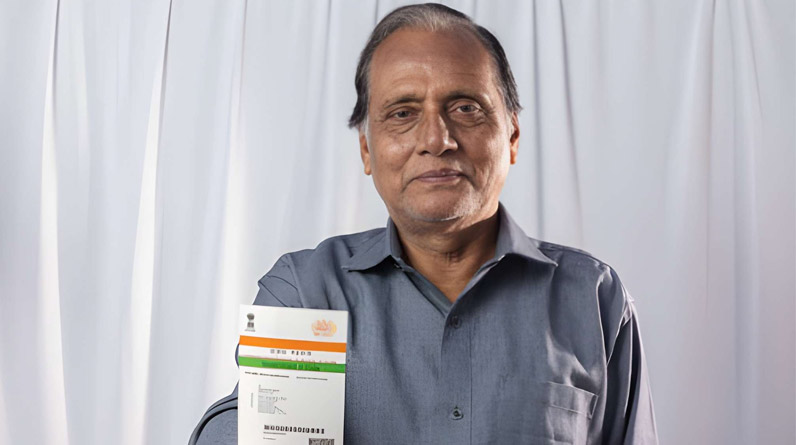
People need to prove their identity many times today, like opening a bank account, getting a SIM card, or using government services. Earlier, this required many documents and a lot of paperwork. Now, in most cases, one myaadhaar card is enough.
Thanks to digital services like Aadhaar card download, online verification, and e-KYC, identity proof has become faster and easier than ever. Behind this convenience is a secure system called Aadhaar verification and authentication, which works in the background to confirm that your identity is genuine and that services reach the right person.
What Is Aadhaar Card Verification?
Aadhaar card verification is a basic process used to check whether an Aadhaar number is valid and issued by UIDAI (Unique Identification Authority of India).
It answers one simple question:
“Is this Aadhaar number real and active?”
During verification:
- The Aadhaar number is checked against UIDAI’s database
- No biometric data is used
- No personal details are shared
This process is commonly used by banks, employers, and online portals to ensure that the Aadhaar number provided is genuine.
Example
If you enter your Aadhaar number on a government portal, the system may first verify whether the number exists before allowing you to proceed.
What Is Aadhaar Authentication?
Aadhaar authentication goes one step further. Instead of just checking the number, authentication confirms your identity as the Aadhaar holder by matching your details with UIDAI records.
Authentication can happen using:
- OTP sent to your registered mobile number
- Fingerprints
- Iris scan
- Face authentication
- Basic demographic details
Most services use both verification first, authentication next.
Aadhaar Verification vs Aadhaar Authentication
Many people confuse these two, but they serve different purposes.
Aadhaar Verification | Aadhaar Authentication |
| Checks if Aadhaar number is valid | Confirms identity of the person |
| No biometric or OTP required | Uses OTP or biometrics |
| Basic level check | High-security confirmation |
| Limited information | Strong identity assurance |
Why Aadhaar Verification & Authentication Is So Important
1. Protects Against Identity Fraud
Fake identities and duplicate beneficiaries were major problems before Aadhaar. Authentication ensures that:
- Only the real person receives benefits
- No one can misuse someone else’s identity
Biometrics and OTP-based authentication make impersonation extremely difficult.
2. Makes Government Schemes Transparent
Aadhaar authentication is the backbone of Direct Benefit Transfer (DBT). Subsidies and benefits go directly into the beneficiary’s bank account.
Schemes that rely on Aadhaar authentication include:
- LPG subsidy
- PM Kisan Samman Nidhi
- Scholarships
- Pensions
- Welfare schemes
This reduces corruption and eliminates middlemen.
3. Saves Time and Paperwork
With Aadhaar-based eKYC:
- Bank accounts can be opened faster
- SIM cards are issued instantly
- Insurance and loans are processed quickly
There’s no need to submit multiple documents again and again.
4. Supports India’s Digital Growth
From online payments to digital governance, Aadhaar authentication plays a key role in building a cashless and paperless economy.
It allows services to be delivered online, even in remote areas.
Types of Aadhaar Authentication Explained Simply
UIDAI offers multiple authentication methods depending on the situation.
1. OTP-Based Aadhaar Authentication
This is the most commonly used method.
How it works:
- An OTP is sent to your Aadhaar-linked mobile number
- You enter the OTP to confirm your identity
Used for:
- Online eKYC
- Aadhaar updates
- Bank and financial services
Pros: Easy and convenient
Limitation: Requires mobile number to be linked with Aadhaar
2. Biometric Aadhaar Authentication
This method uses:
- Fingerprint
- Iris scan
Commonly used at:
- Banks
- CSC centers
- Ration shops
- Government office
Pros: Very high security
Limitation: May fail due to worn fingerprints or biometric mismatch
3. Demographic Authentication
This matches basic details such as:
- Name
- Date of birth
- Gender
It is usually used along with OTP or biometrics, not alone.
4. Face Authentication
UIDAI has introduced face authentication as an additional option, especially helpful when fingerprints don’t work.
It improves accessibility for elderly people and manual workers.
How Aadhaar Authentication Works: Step-by-Step
Here’s what happens behind the scenes:
Step 1: Aadhaar Details Are Submitted
You provide your Aadhaar number (or Virtual ID) to a service provider.
Step 2: Authentication Method Is Selected
OTP, biometric, or face authentication is chosen.
Step 3: Encrypted Data Is Sent to UIDAI
The data is securely transmitted to UIDAI’s central database.
Step 4: UIDAI Confirms the Match
UIDAI checks whether the details match its records.
Step 5: Yes or No Response
The service provider receives only a confirmation — no personal data is shared.
This entire process takes just a few seconds.
Is Aadhaar Authentication Safe and Secure?
Yes. Aadhaar authentication is built with strong privacy and security safeguards.
Key safety features include:
- End-to-end encryption
- No storage of biometric data by service providers
- No sharing of personal information
- Strict UIDAI compliance rules
- Regular security audits
UIDAI only sends a Yes/No response, not your actual data.
How to Verify Aadhaar Card Online
You can easily check whether an Aadhaar number is valid using UIDAI’s official service.
Steps:
- Visit the official UIDAI website
- Select Verify Aadhaar Number
- Enter Aadhaar number and captcha
- Submit
You’ll see:
- Aadhaar validity status
- State of issuance
- Age band
Always use official UIDAI platforms and avoid third-party websites.
Common Aadhaar Authentication Problems and Solutions
OTP Not Received
- Check network coverage
- Ensure mobile number is linked
- Try again after some time
Biometric Authentication Failed
- Update biometrics at Aadhaar center
- Use OTP or face authentication
Aadhaar Shown as Invalid
- Recheck the number
- Confirm Aadhaar is not deactivated
Where Aadhaar Verification Is Commonly Used
Aadhaar authentication is used almost everywhere today:
- Bank account opening
- SIM card verification
- PAN-Aadhaar linking
- Income tax filing
- Government subsidies
- Pension and insurance services
- DigiLocker and online portals
Aadhaar Authentication and Privacy: What You Should Know
UIDAI provides tools to protect your privacy:
- Lock and unlock biometrics
- Use Virtual ID (VID) instead of Aadhaar number
- Download masked Aadhaar
You are always in control of how your Aadhaar is used.
Best Practices for Aadhaar Users
- Never share OTP with anyone
- Lock biometrics when not needed
- Use official UIDAI portals only
- Keep Aadhaar details updated
- Regularly check authentication history
The Future of Aadhaar Authentication
With advancements like:
- Offline Aadhaar verification
- QR code authentication
- AI-based face recognition
Aadhaar is becoming more secure, user-friendly, and privacy-focused.
It will continue to play a central role in India’s digital ecosystem.
Conclusion: Aadhaar Authentication Builds Trust in a Digital India
Aadhaar Card Verification and Authentication are not just technical steps, they are the foundation of trust, transparency, and inclusion.
They ensure that services reach the right person, fraud is minimized, and everyday tasks become faster and simpler.
When used responsibly, Aadhaar is more than an identity card
it’s a key to secure and inclusive digital living.