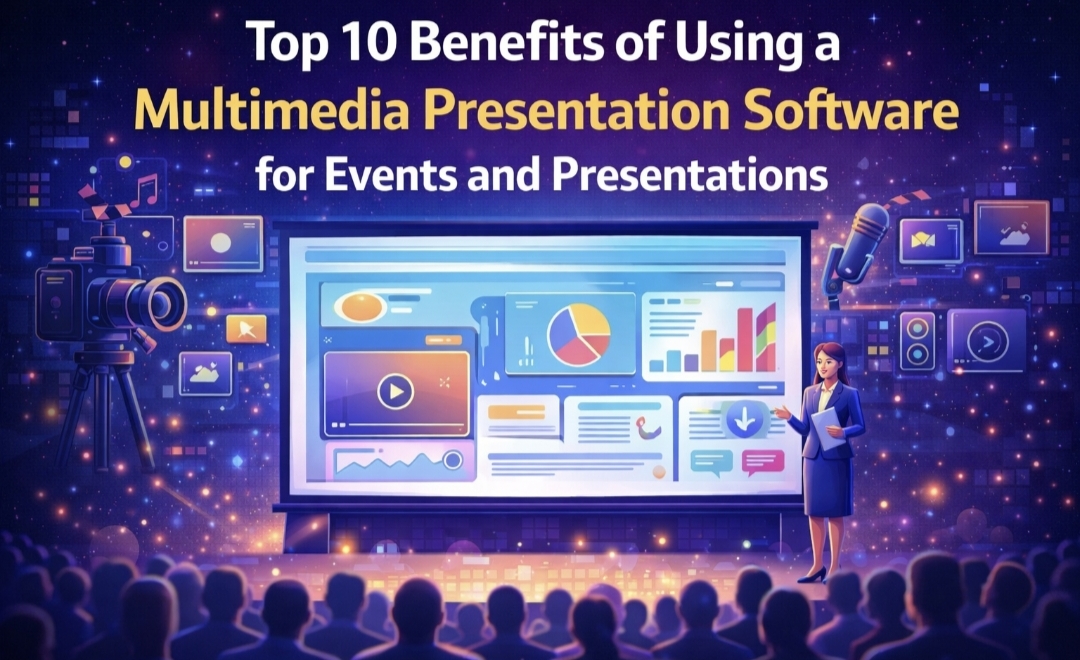
Modern presentations rarely rely on slides alone, and speakers often have to use video, images, documents, spreadsheets, and audio to convey their ideas and keep the audience engaged clearly. However, managing all these different media types during a live presentation can be difficult, especially if they are spread across various apps, or importing them into the main presentation software can be a time-consuming and difficult task. This is where multimedia presentation software allows presenters to combine and run different media formats in one place, building a smoother presentation experience.
Whether it is a conference talk, a classroom lecture, or a product demonstration, using a mixed-media player helps reduce technical interruptions and allows the presenter to focus on the message.
If you are curious, then let us tell you all about them.
What is Multimedia Presentation Software?
It is software designed to handle multiple media types within a single presentation environment, rather than switching between separate applications for slides, videos, documents, or audio files. The player allows all these elements to be organized and played through a single interface. Therefore, giving presenters the freedom to combine video, audio, clips, images, PDF documents, and Office files into a single sequence. This sequence works like a playlist, allowing the presenter to move smoothly from one piece of content to the next without interruption.
That’s why software is used at conferences, trade shows, and training sessions, where multiple media formats must be displayed, rather than worrying about compatibility and flexibility issues or switching applications during a presentation. Other than this, they have multiple benefits.
Top 10 Benefits of Using a Multimedia Presentation Software
The right presentation setup can make a huge difference during events. Below are 10 key benefits of this software.
1.Simplifies Multimedia Presentation
One of the biggest benefits of software is that it simplifies presentations that incorporate different media types. Many presenters rely on videos, documents, and images in addition to slides. The presenters often have to import all media into PowerPoint or Keynote, which can be tedious and time-consuming, or have to switch between several applications, either of which can interrupt the flow of the presentation. This software keeps all content in one place, allowing presenters to organize and display media in a clear sequence, maintain the smooth presentation flow, and reduce distraction for both presenters and the audience.
2. Ease of Use
Professional multimedia presentation software is designed for simplicity and efficiency, letting presenters focus on their message. Users can drag and drop multiple files to quickly create playlists, reorder content, and preview media without extra steps. It supports multiple file formats, so videos, audio, documents, and images can be combined without converting files or searching for codecs.
3. Supports Multiple File Formats
Most presentation software can handle multiple media types, but the difference lies in how they do it. Either users have to hunt for codecs or have to convert files. Here, multimedia presentation software can specifically support a wide range of formats. This allows the presenters to combine media without converting them beforehand.
When the files can be used in their original format, preparation becomes easier, and there is less risk of compatibility issues. For professionals who work with multimedia content, this flexibility saves both time and effort.
4. Enhance Reliability During Live Events
Technical issues during live presentations can affect both the presenter’s confidence and the audience’s experience. A multimedia presentation software can reduce these risks and create a reliable environment for running various media formats. It detects missing files and broken links before the user hits the stage.
This reliability is one of the reasons many organizations prefer professional multimedia presentation software for conferences, seminars, and large events, as required, to prevent technical disruptions from disrupting the entire event.
5. Saves Time During Presentation Preparation
Preparing a presentation with different formats is time-consuming, especially with traditional tools. Files often need to be converted, embedded, or tested individually. However, an advanced, user-friendly multimedia presentation software allows presenters to add their media directly to a playlist without complex setup. Consequently, this efficiency can enhance productivity for professionals who present frequently.
An efficient, user-friendly multimedia presentation software also allows presenters to adapt their presentations to specific audiences, contexts, or use cases, making “one size fits all” presentations a thing of the past. Consequently, this efficiency can enhance productivity for professionals who present frequently.
6.Delivers More Engaging Experience
Audience responds better to presentations that include varied content rather than a long sequence of static slides. It is better to present ideas in videos and visuals as this can help highlight key information, and audio clips can offer context or storytelling elements.
The professional event players help combine these elements more effectively and naturally. Because the transition between media types is seamless, the audience experiences the presentation as a continuous story rather than a series of disconnected sections. Additionally, mixed media keeps the audience’s attention, and storytelling helps them memorize information.
7. Useful for Many Professional Environments
Multimedia presentation software is not limited to a single industry; it is useful in many professional settings as required. Educators can use them to combine teaching materials, such as videos, documents, and slides, into a single lecture. Event organisers rely on them to manage presentations during workshops or internal meetings. Because it can support presentations in many environments where reliability and simplicity are important.
8. Gives Flexibility for Last Minute Changes
Presenters often face situations where content needs to be adjusted at the last minute. Whether it’s adding new slides, updating the document, or reordering the presentation slides, a flexible presentation setup makes these changes simple and hassle-free. This flexibility ensures the presentation remains smooth and professional even when adjustments are required. This flexibility also increases confidence and helps maintain consistent audience engagement throughout the presentation.
9. Reduces Technical Errors
In live presentations, presenters do not have room for technical errors and issues, such as unsupported file formats, missing files, or software delays, that can interrupt the flow of an event. Multimedia presentation software helps reduce these risks by detecting missing files or broken links and is extremely easy to use, allowing the user to simply drag and drop media files and documents.
This allows the presenters to make and deliver their presentations with ease and focus on their message, without worrying about unexpected technical issues.
10. Supports Dynamic Story Telling
Presentations are more effective when they guide the audience through a clear narrative. Multimedia presentation software allows presenters to combine different media formats in a structured sequence, making it easier to explain ideas step by step. By integrating visuals, audio, and documents into one presentation flow, speakers can create a more engaging and memorable experience for their audience. Also, presenters can create a structured playlist and present their content in the correct order without having to open separate programs. This makes presentations easier to control and reduces the chance of technical interruptions.
Conclusion
Presentations today often involve far more than slides and include videos, documents, images, and audio clips, which play an important role in communicating ideas effectively. A multimedia presentation software helps bring these elements together into a cohesive, organized presentation flow. By reducing the need to switch between apps, supporting multiple file formats, and improving reliability during live events, it simplifies the entire presentation process. All in all, they help presenters deliver clear, smooth, and engaging presentations while spending less time dealing with technical challenges. MediaGun, being a robust multiformat presentation software, can help the presenters give multimedia presentations easily and reliably.